For MacBook traders · Kite, Fyers, Upstox

Your MacBook's notch.
Now a trading desk.

Positions, live P&L, the GTT stops you actually have in place, charts, journal and sizing, tucked into the black bar at the top of your screen. One hover away, then gone.

PPositions
KiteFyersUpstox
Bull market · full size

Day P&L

+₹12,480

Open risk

₹18,640 · 0.62%

Last 20 trades

Batting 45% · W/L 2.6

SymbolQtyLTPP&LStop
Hover the notch, or tap Open. Sample data, moving the way a session does.

Connects to the accounts you already trade

K
Zerodha KitePositions · Holdings · Trades · GTT
F
FyersCharts · Quotes · Positions · GTT
U
UpstoxPositions · Trades · GTT · Holidays

Positions, holdings and trades come straight from your broker, whichever exchange they're on. With your own API apps. No server in the middle, no account with us, nothing about your trades leaves your Mac.

Dashboard

Know your state before you click buy.

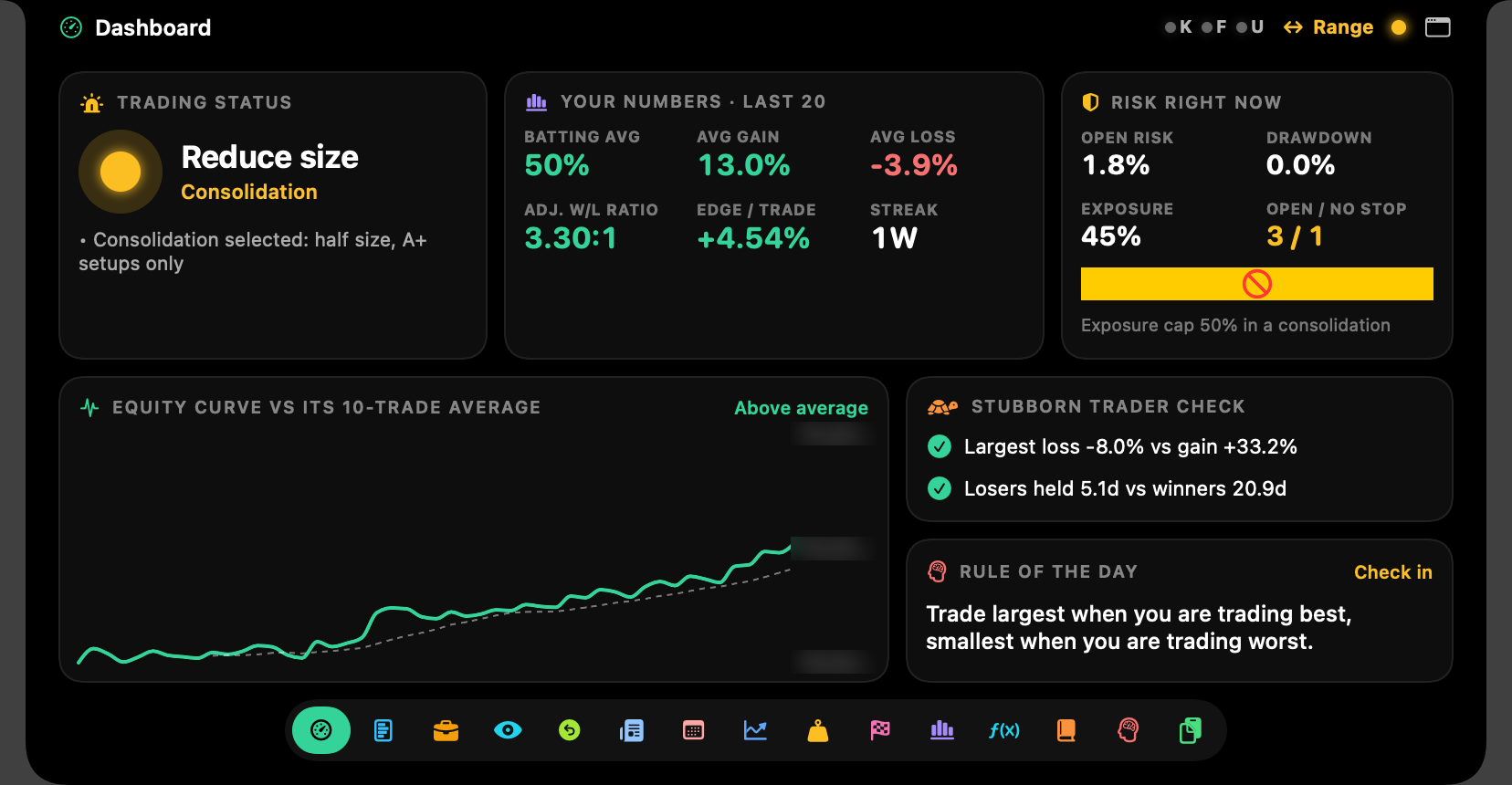
Trading status, what the market type allows you to size, open risk right now, and whether the last twenty trades still have an edge. The equity curve sits underneath, where you can't pretend it isn't.

  • Trading status
  • Open risk
  • Equity curve
  • Batting average
SuperTrader Edge dashboard with trading status, batting average, open risk and the equity curve

Market Monitor

The market, without a new tab.

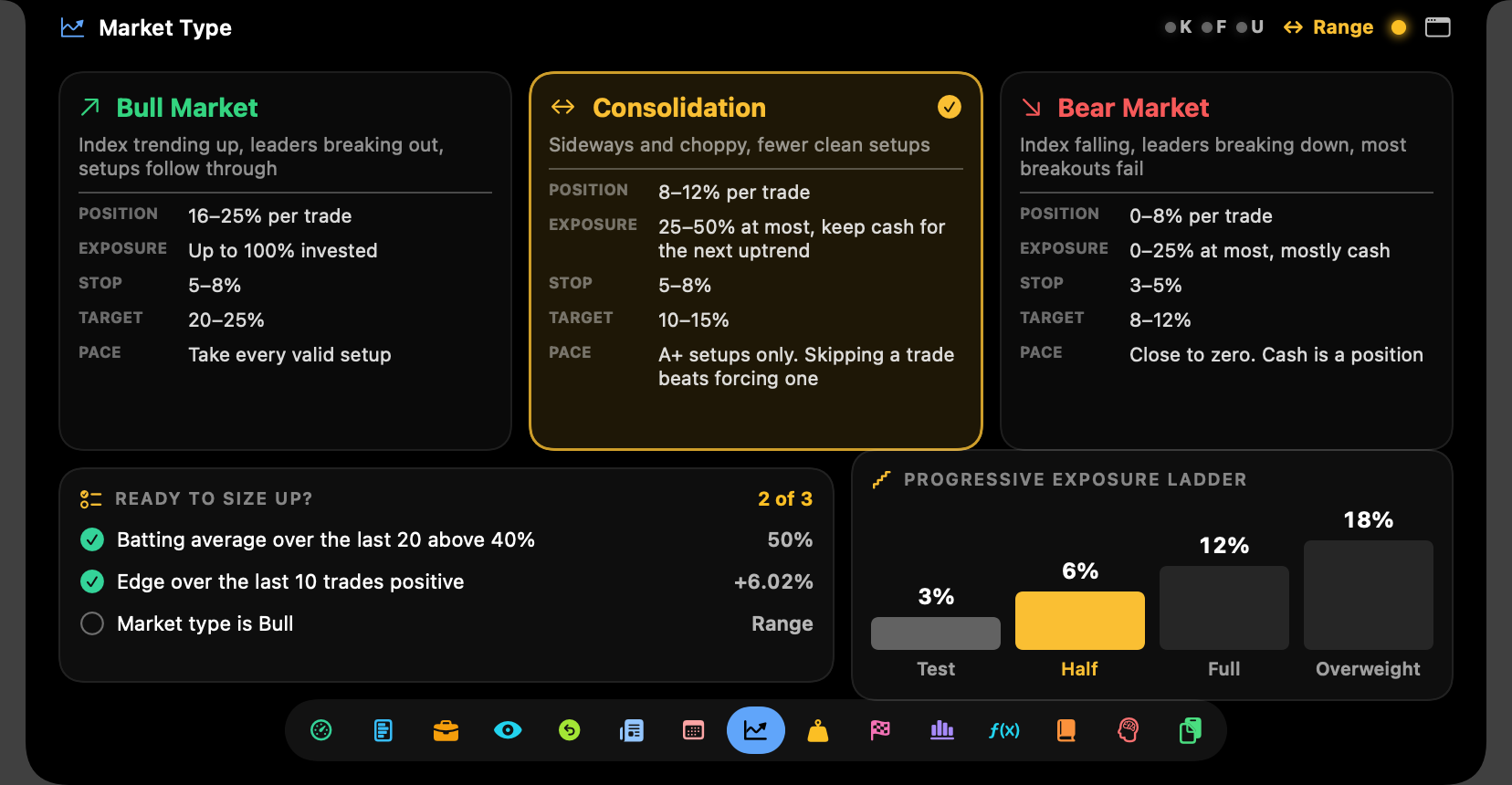
Nifty 50, Nifty 500 and the sector index you care about, side by side, with GIFT Nifty before the open. Pick the market type and every size the app suggests follows it, so a choppy tape can't talk you into a full position.

  • Nifty 50 & 500
  • Any sector index
  • GIFT Nifty pre-open
  • Market type limits
Market monitor showing Nifty 50, Nifty 500 and a sector index

Watchlist

Real charts. Not just prices.

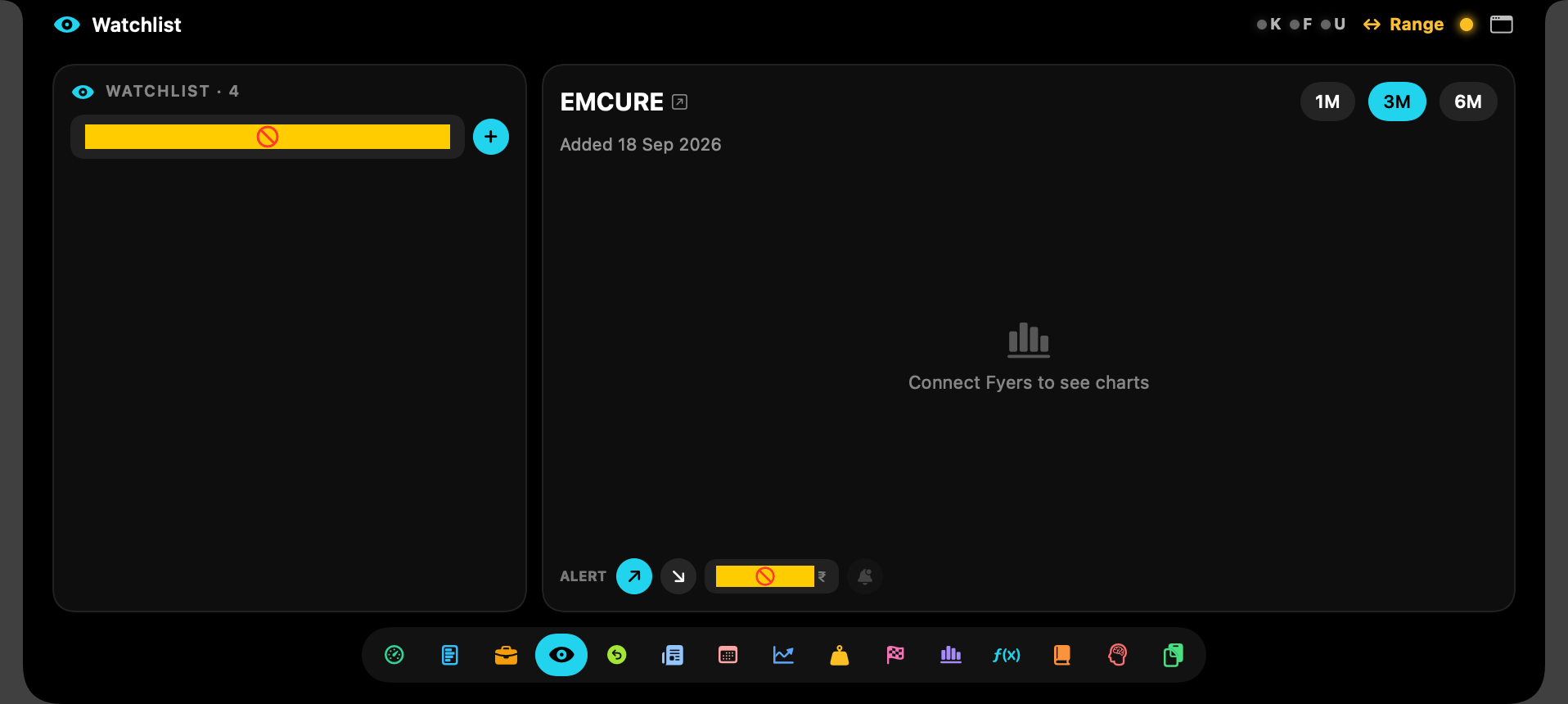
Search about 2,900 stocks from your broker's symbol list, by ticker or company name. Each opens with daily candles, volume and RSI against the 60/40 band. Set a price alert from the notch, leave a voice note on the thesis, and jump to TradingView in one click.

  • Candles, volume, RSI
  • Price alerts
  • Voice notes
  • One-click TradingView
Watchlist chart with daily candles, volume and RSI

Journal & After Exit

A journal that fills itself in.

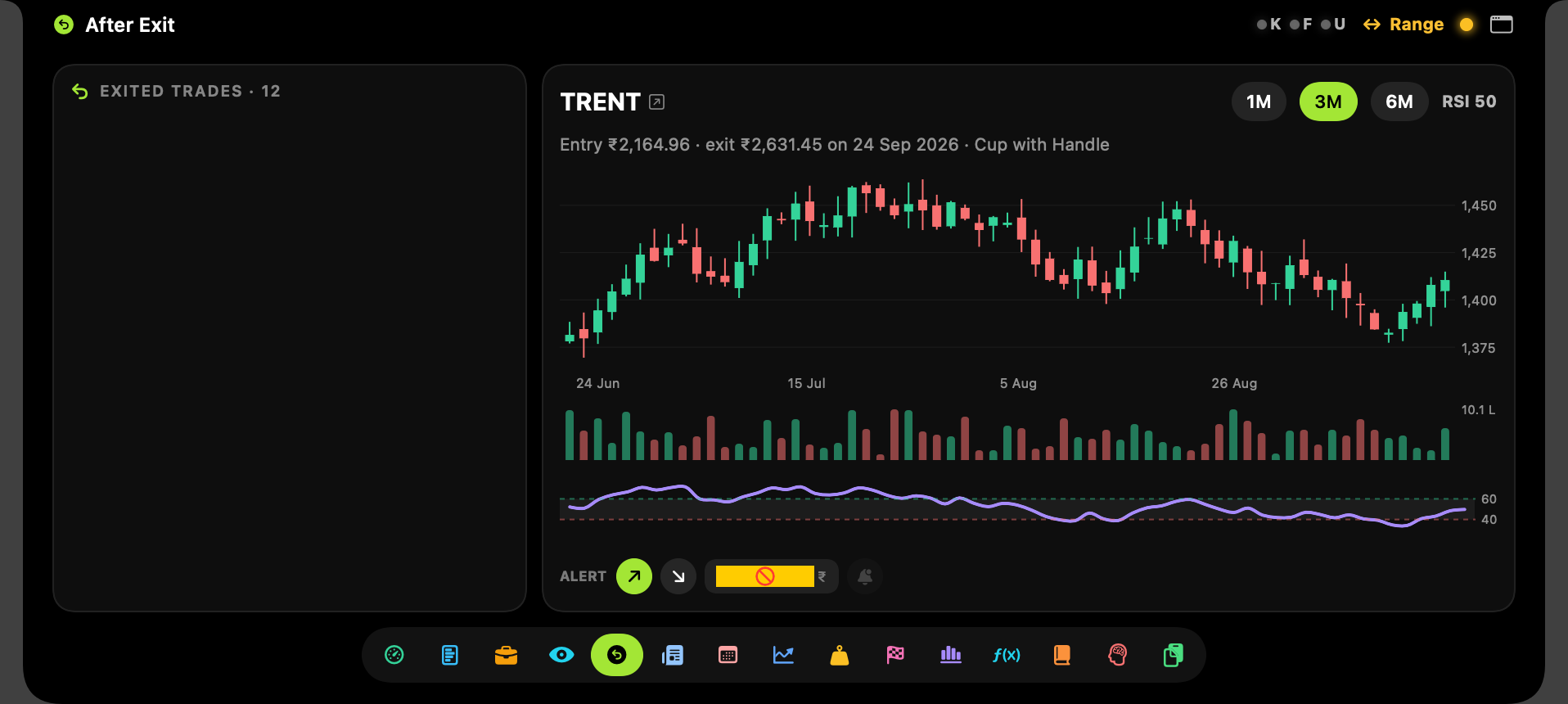
Trades sync from your broker through the day, one row per stock per day, tagged by your own systems. After Exit shows what each stock did once you sold it. Uncomfortable reading, which is the point.

  • Broker auto-sync
  • Tagged by system
  • DRAMA & RBAF
  • After Exit
After Exit list showing how closed trades moved since the exit

Sizing & calendar

Size that respects the market you're in.

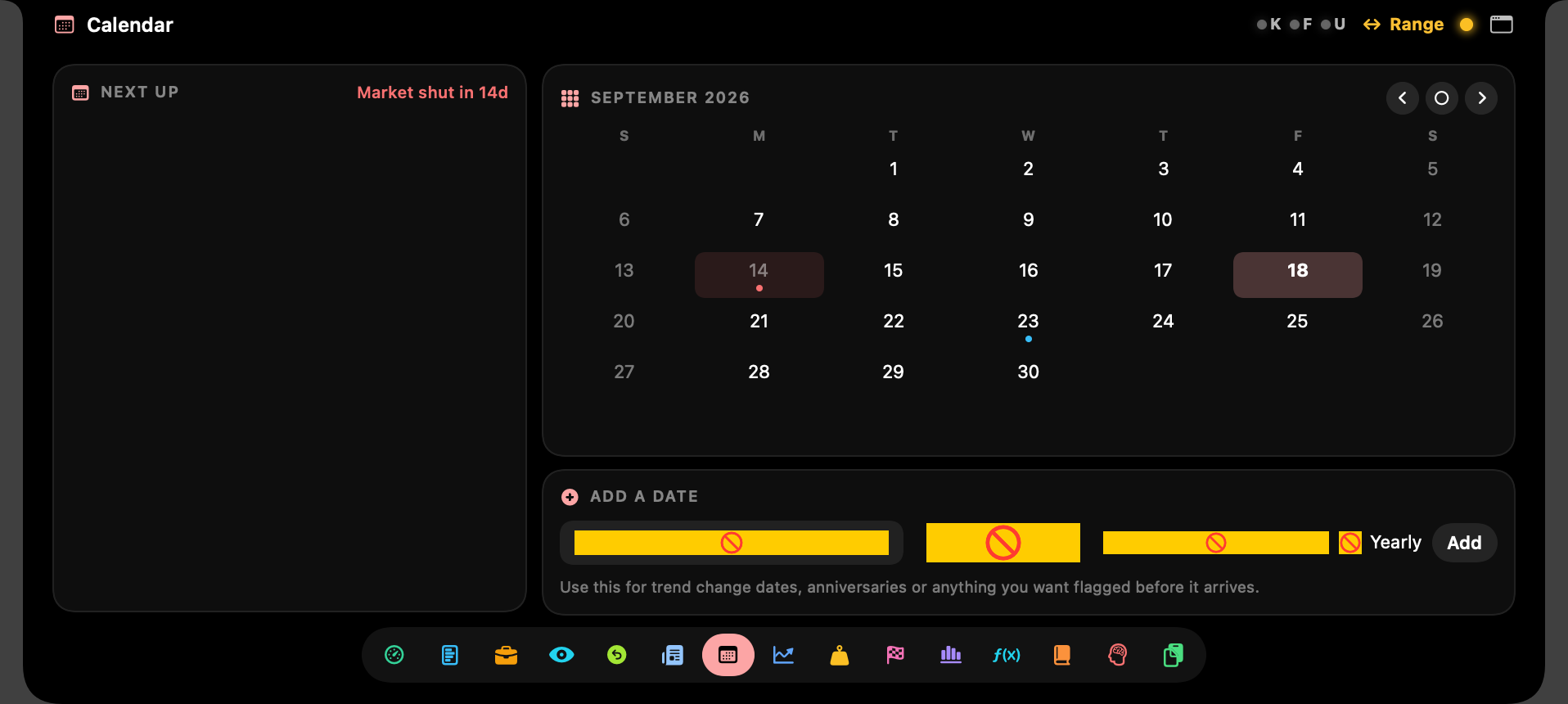
Quantity comes from your stop and risk percentage, then gets capped by market type: half size and A+ setups only in a consolidation. Beside it, a trading calendar with market holidays pulled live from your broker.

  • Stop-based sizing
  • Pyramid add-ons
  • Bull · Consolidation · Bear caps
  • Market holidays
Trading calendar with Indian market holidays and custom dates

Closed, but not asleep

The smallest trading screen you'll ever own.

Shut, it's just the notch. Give it one number to hold and you'll stop alt-tabbing to your broker.

Day+₹12,480

Day P&L

Across every connected broker, live.

No stopTRENT

Naked position

Open without a GTT? The notch says so.

GIFT▲ 0.38%

Before the open

GIFT Nifty from 8:15, so you know the mood.

Works with Second Brain

Lives in your Second Brain. Changes when you ask.

The Notch is built to sit inside a Second Brain, the free AI knowledge folder for Claude Code, Cursor, VS Code and Windsurf. Drop it into your projects/ folder, add the /notch skill that comes with it, and your AI already knows how the app is built.

Type /notch and what you want in plain English. It edits the Swift source, rebuilds, restarts the notch and writes down what it changed. No Xcode project to fight.

  • /notch skill included
  • Second Brain layout
  • Full source & wiki
  • Runs without one too

What's inside

18 tools. Keep the ones you use.

Each is a switch in Settings. Turn one off and it leaves the row of icons, so the notch holds only what you open.

How it behaves

Out of the way until you need it.

It stays on your Mac

Keys and tokens live in a config file on your machine. The app talks only to your brokers, NSE IX for GIFT Nifty, and Google News.

It reads. You trade.

No order is ever placed from the notch. It reads positions, trades and GTTs and tells you the size. The button stays in your broker's app.

No notch? Fine.

Older MacBooks and external displays get a drawn notch. It drops from the top edge and behaves exactly the same.

Buy once. Done.

No subscription, no account, no telemetry. Apple silicon and Intel, macOS 14 Sonoma or later. Light and dark.

Pricing

One price. Yours to keep.

SuperTrader Edge Notch

macOS app · Kite, Fyers, Upstox

₹2,499

One payment. No subscription.

  • The ready-built app, Apple silicon and Intel
  • All 18 tools, light and dark themes
  • Full Swift source, wiki and CLAUDE.md for your AI
  • The /notch skill for your Second Brain
  • 5-minute setup guide for each broker
  • Updates as they ship
Buy for ₹2,499

Pay by UPI

Send ₹2,499 from any UPI app, then email the screenshot to aniketh@mindstorm.in. The download link comes back to the same address.

macOS 14 Sonoma or later. You'll need an API app with at least one of Zerodha Kite, Fyers or Upstox.

FAQ

Before you pay. The awkward questions.

Where does my trading data go?

Nowhere. The app talks to your brokers directly from your Mac. Your keys sit in config/.env and your journal in a data folder, both on your machine. There's no server, so there's nothing for anyone else to look at.

Do I need all three brokers?

No. One is enough. Fyers is the one that supplies charts and quotes, so connect it if you want the Market Monitor and watchlist charts.

Does it place orders?

No, by design. It reads positions, holdings, trades and GTTs and shows you the size you should take. Placing the order stays in your broker's app.

Will I have to log in every day?

For Kite and Upstox, yes: SEBI requires a fresh 2FA login daily and no app can honestly get around it. Fyers can refresh with a stored token and your PIN. Each broker has a one-button login inside the notch.

My Mac has no notch. Does it still work?

Yes. The panel drops from the top edge of the screen, and everything behaves the same. There's a Dock icon and a normal window too.

What's a Second Brain, and do I need one?

Second Brain is a free AI knowledge folder for Claude Code, Cursor, VS Code and Windsurf: your notes, rules and projects in one place your AI can read. The Notch is built to live inside one, so typing /notch lets your AI change it for you. You don't need one to use the app. It runs fine from any folder, and you can still open your AI in the Notch folder and ask.

How do I get it after paying?

You get a download link by email. Unzip it into your Second Brain's projects/ folder (or anywhere), run the setup script, paste your broker key into the config file and press Connect. About five minutes.

Is this investment advice?

No. It's a calculator and a record keeper for decisions you make. Nothing here or in the app is a recommendation to buy or sell anything.

Give your notch a job.

Get it for ₹2,499